Review contracts in your app. Send back a Word file they can edit.
Review a counterparty’s redlines in your product. Send back an editable DOCX, then open the next version they return from Word. Keep the files and version history in your own storage.
Try the public examples without submitting a form.
The proposed 10-day clause.The reviewer’s 15-day wording.
What happens when the other side sends the Word file back?
Open the returned DOCX in your app and review the pending tracked changes and comments. Your model can use your playbook to propose new wording. SuperDoc writes the targeted edits as native Word revisions, and your reviewers decide what goes into the next version.
01
Open the agreement
Start with a synthetic Word agreement with 250 pending revisions.
02
Write your own clause
Reject the 10-day proposal. Edit the clause with Track Changes on, then apply the remaining decisions.
03
Send an editable Word file
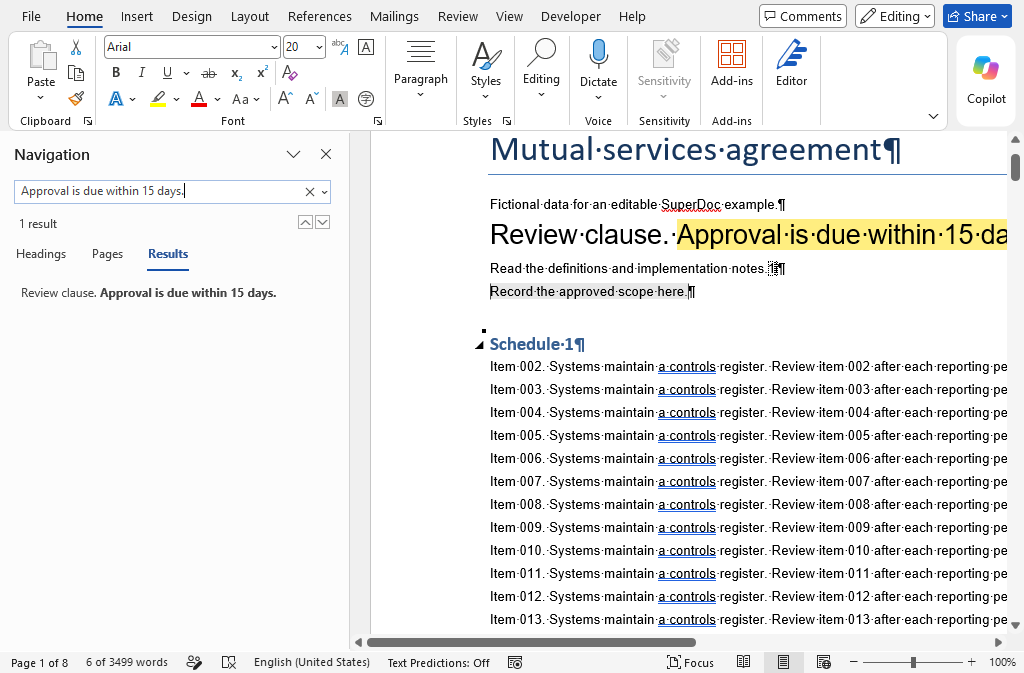
Export the reviewed DOCX so the other party can keep editing. In the tested agreement, Word reopened the 15-day clause and the original reviewer comment.
A reviewer replaces a proposed approval deadline and sends an editable DOCX the other party can keep working on in Word.
What went out and what came back
We sent the sample to Word with a 15-day deadline. A reviewer changed it to 21 days with Track Changes on. SuperDoc opened the returned DOCX, showed the counterparty’s edit, and exported the 21-day clause after we accepted it. The original comment stayed with the agreement.
Choose which comments and pending edits to include in the outgoing Word file. When the counterparty returns their copy, your reviewers can continue from that file. Test the formatting and markup your contracts use.
Save each sent or returned DOCX as its own version. Your application owns the timestamps, authors, and retention rules. Restore an earlier snapshot as a new version and keep the later work available.
Run the editor and document tools on your infrastructure. Your backend controls who can access and store agreements. Your application chooses the model provider and what context it receives. The self-hosted editor and tools do not require sending contracts to SuperDoc.
When another reviewer changes a shared agreement, a guarded write can fail with a revision mismatch. Read the current wording and rebuild the proposal. Room-wide checks require the documented Hocuspocus setup.
Your application controls identity, access, retention, version storage, and approval rules. Your model and playbooks supply the reasoning and proposed wording. SuperDoc supplies the self-hosted editor and document tools that read, edit, and export the DOCX.
Build the Word workflow your users need
Try a representative document, or talk through your integration with our team.
Install SuperDoc, build your integration, and test it with your team for free. The install includes DOCX Engine as a dependency. Its separate license is designed to let you use it with SuperDoc’s open-source code under AGPLv3.
One Business license covers all SuperDoc features and uses within your licensed product, including the editor and DOCX Engine in production. You get a private Slack channel with our team for help integrating SuperDoc and troubleshooting tricky Word files as you build and after you ship. A custom Enterprise agreement can cover specific product areas or a defined platform. The order defines the covered products and entities, and you can add coverage as your rollout grows.
Tell us what has to survive when an agreement goes out and comes back, and where the files and model need to run. Our engineering team can help you test the round trip with a representative document.