Build the accept and reject step of a Word review workflow
Build a Node.js script that accepts or rejects tracked changes, preserves the original Word file, and verifies each saved DOCX with SuperDoc.
See it in SuperDoc
A proposed edit. A deliberate decision.
Review the Word redline, then keep or reject the change.
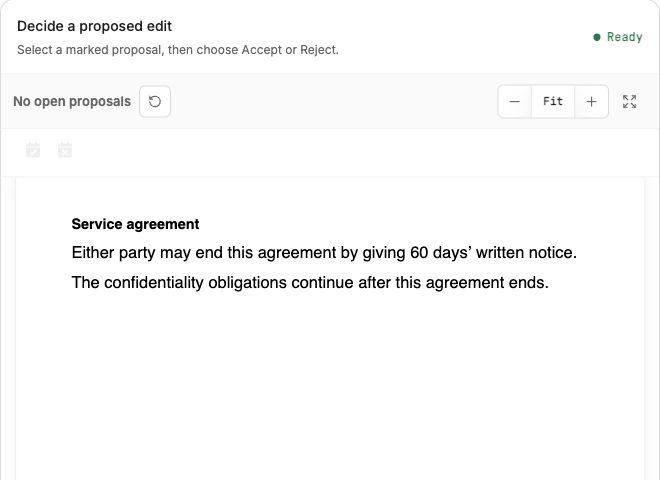
Real SuperDoc browser demo, using a synthetic agreement. Accepting the proposal keeps 60 days. This illustrates the review decision; the Node.js guide below uses a separate synthetic insertion fixture.
Try the live demoDownload the LinkedIn image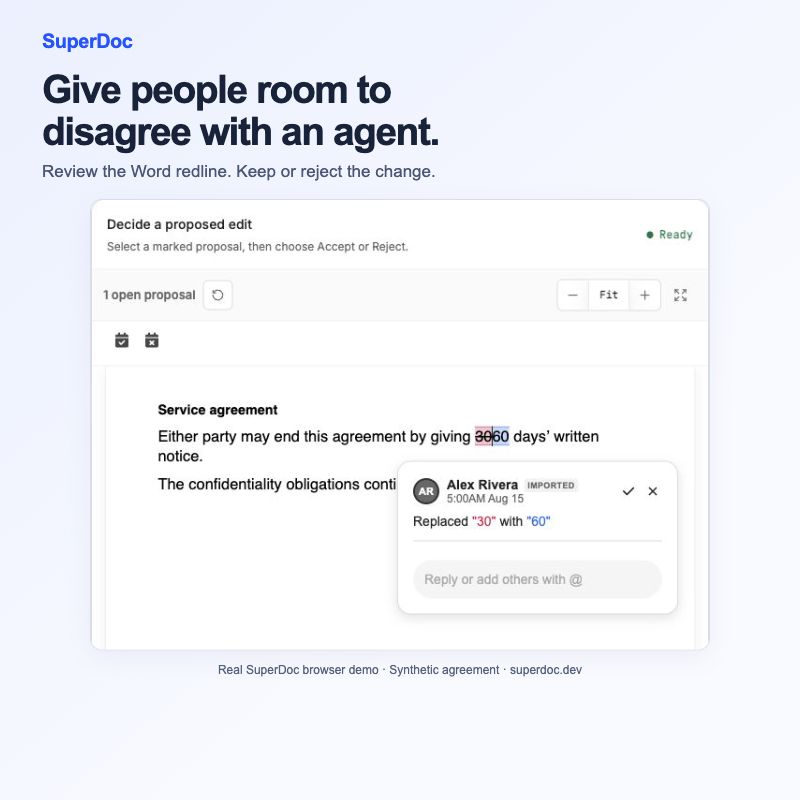
Published 2026-11-07T01:28:30.245Z. By SuperDoc.
Build the accept and reject step of a Word review workflow
An agent has proposed edits to a Word contract. A person reviews them and decides what should stay. Your application needs to turn those choices into a usable DOCX.
SuperDoc’s Node.js SDK gives you the document operation to build on. This guide implements the backend accept or reject step using a synthetic file with one tracked insertion. You will save each outcome separately and reopen it to see what the decision did to the file.
What you will build: a backend script that accepts or rejects tracked changes, keeps the original file, and writes a separate reviewed DOCX. The example uses Node.js 24 and @superdoc/[email protected]. A browser review panel is a separate integration.
1. Get the fixture and install the SDK
Download tracked-changes.docx. This public synthetic fixture contains one tracked insertion in the document body. Save the accompanying workflows.mjs and review-changes.mjs files beside it.
npm install @superdoc/[email protected]
The runner takes an input path, a different output path, and an explicit decision. Run it once for each outcome:
node review-changes.mjs tracked-changes.docx reviewed.accepted.docx accept
node review-changes.mjs tracked-changes.docx reviewed.rejected.docx reject
The script refuses to overwrite the source. Your application must authenticate the reviewer and authorize their decision before invoking it.
2. Apply the decision and inspect the receipt
The operation at the center of the workflow is small:
const receipt = await doc.trackChanges.decide({
  decision,
  target: { kind: 'all' },
});
if (!receipt.success) throw new Error('The review operation failed.');
await doc.save({ out: output, force: false });
Choose the scope deliberately. This example resolves all changes addressed by the operation. Someone reviewing a single redline has not approved the rest of the document. The tracked changes guide describes targeting a logical change ID and checking its revision.
The accompanying wrapper connects a client, opens the input, applies the decision, saves the output, and releases both session and client in finally blocks.
3. Check the files your application produced
Reopen both outputs through the SDK and inspect the result:
- Accepted: no pending changes remain, and the inserted text is present.
- Rejected: no pending changes remain, and the inserted text is absent.
- Original: the input file’s hash is unchanged.
Both outputs having zero pending changes is only part of the check. The text must also reflect the decision. These checks passed on this fixture with the pinned SDK version.
4. Evaluate the documents your users work with
Start with this one insertion so the expected result is easy to inspect. Then test representative documents and the review scope your application needs. Check headers, footers, footnotes and endnotes separately before adopting a broader review policy.
The example was tested for SDK mutation, saving and SDK reopening. For Word compatibility, open the exported files in your users’ Microsoft Word environment and inspect their formatting and review state as a separate acceptance check.
Keep the original, expected result, SDK version and verification record together. That gives your team a concrete starting point for building a review workflow people can rely on.
Continue with the Node.js SDK guide and the tracked changes API.
Runnable example files
-
Synthetic input: tracked-changes.docx. SHA256: c41d0a76daaf0a3936bd32457560c9e4f74d8ba6df462767111cd3e4650374b1
-
Synthetic input: service-agreement-template.docx. SHA256: 06084952d170a5f9c7298baa9c45561d315f653391bf0fcf0dd14c7639f1b972
Content ID: ca37627271abf8b84468857dc88f6da962a97e558000a287747334fa1e161a59