Why a Word file uses a different font in the browser
Inspect requested, rendered and exported DOCX fonts with a complete SuperDoc font-resolution project.
See it in SuperDoc
Inspect the font at each step.
Requested, rendered and exported families are different pieces of evidence.

Original vector illustration, retained as SVG and a lossless 2400 by 1500 PNG. The linked SuperDoc 2.30.0 example exercises mapping, regular-face loading, reset and exported font names. It does not establish matching pagination or Word desktop rendering.
Try the live demoDownload the LinkedIn image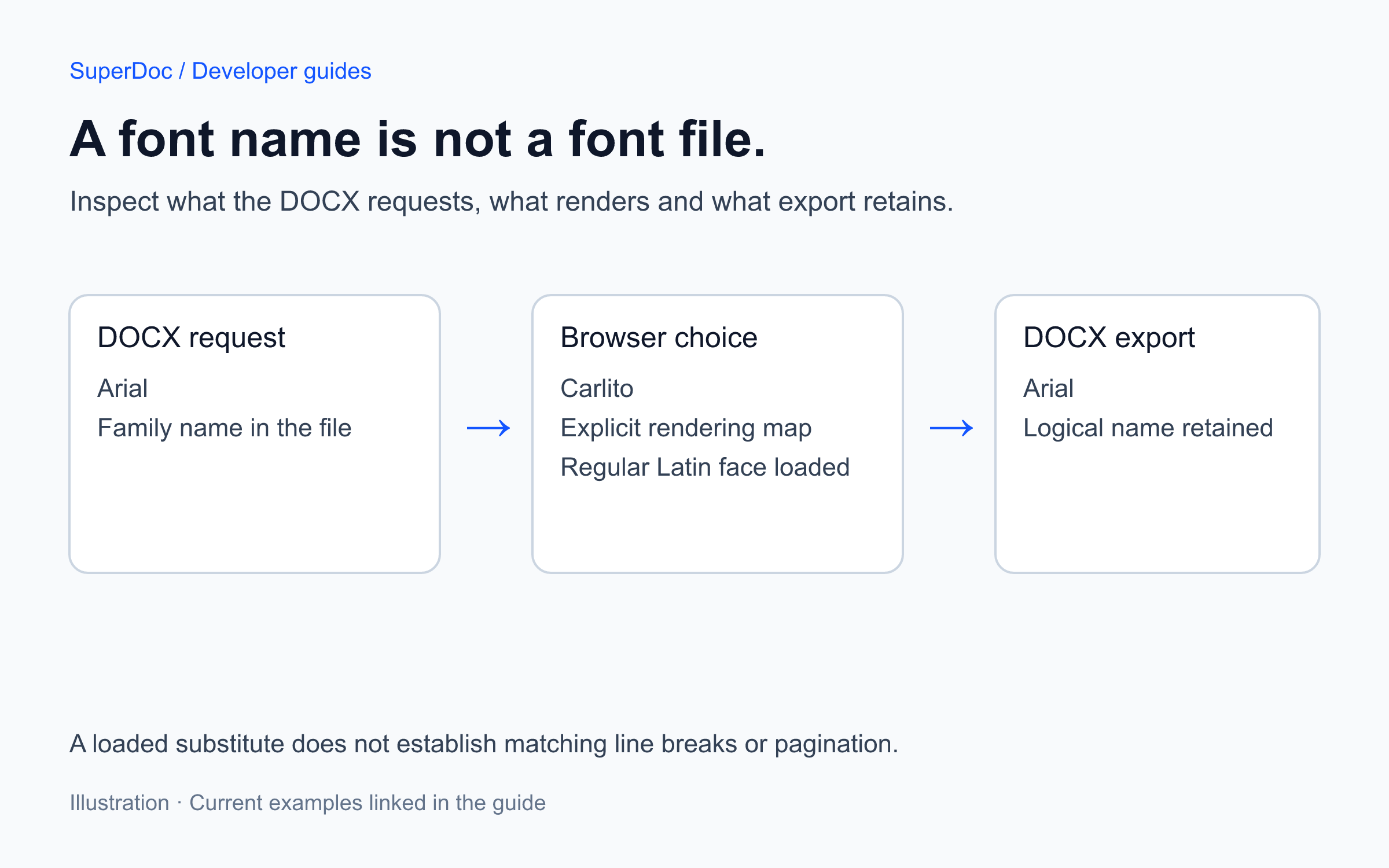
Published 2026-11-12T01:42:21.791Z. By SuperDoc.
A Word file can name a font without containing the font file. Open that DOCX in a browser that does not have the requested face, and another font may draw the text. Different character widths can change line breaks, table heights and pagination.
Changing your application's CSS font does not solve that document problem. First identify the family the DOCX requests, then decide how your application will supply it.
Inspect the actual document before adding a font pack
Open the font resolution example. It uses the public homepage agreement and SuperDoc 2.30.0. The report shows the requested family, rendering family, mapping reason, load status and export family for the active document.
The sample requests Arial. On a machine with Arial installed, the browser can use that system font. That does not establish that a customer's Linux machine, phone or embedded webview has it.
The example deliberately lets you map Arial to Carlito, an open font included in the downloadable project. This demonstrates substitution, not a promise that the two fonts have identical metrics. Compare the page before and after the change.
Register a face, then make the mapping explicit
Download the complete font project, extract it, and run these commands inside the extracted directory with Node.js 22 or newer:
npm install
npm run dev
The project pins superdoc to 2.30.0. Its public DOCX, Carlito regular Latin WOFF2, font license, HTML, styles and TypeScript are included. There is no private document or external font account to configure.
The relevant initialization is:
import { SuperDoc } from 'superdoc';
import 'superdoc/style.css';

const superdoc = new SuperDoc({
  selector: '#editor',
  document: '/SuperDoc.docx',
  fonts: {
    families: [{
      family: 'Carlito',
      faces: [{
        source: '/fonts/Carlito-latin.woff2',
        weight: 400,
        style: 'normal',
      }],
    }],
  },
});
After the editor is ready, the example's button runs:
superdoc.fonts.map({ Arial: 'Carlito' });
await superdoc.fonts.preload(['Arial']);
console.table(superdoc.fonts.getReport());
The complete source companion includes the ready callback, report subscription, reset button, export action and error handling. Use fonts.onReport() when your UI needs to follow changes, and call the returned unsubscribe function when that UI is removed.
For the version tested here, the regular face reports loaded and custom_mapping, while exportFamily remains Arial. Its missing flag can be false despite the deliberate substitution. Read the fields together. Neither that flag nor a successful font download proves visual equivalence with Word.
Supply the faces your documents actually need
The example includes one regular Latin face. It does not supply separate bold or italic files, every writing system, or the proprietary Arial font. Check each requested weight and style in the report rather than assuming that registering a family covers them all.
For a faithful family match, host web font files you are entitled to use and register their real family, weight and style. For an intentional replacement, keep a documented mapping and compare representative documents. Check that your font URLs remain reachable under your application's Content Security Policy.
The optional current font pack is named @superdoc/fonts. The older @superdoc-dev/fonts name appears in historical announcements. Follow the current font documentation for its setup and available substitutes. A substitute pack does not provide every Microsoft font or guarantee identical pagination.
Check the saved Word file as well as the browser
Use Remove substitution to compare the original rendering choice. Then apply the mapping again and use Check exported font names before exporting a DOCX. The check inspects the exported document and style XML for the expected Arial name without replacing it with Carlito. The runtime mapping changes rendering; it does not rename the logical Arial family in the exported document or embed Carlito in that file. Use Download checked DOCX to inspect the file that passed that check. The exact export was also saved and reopened with SDK 2.27.0 to check its font names and retained pending-change count.
Open the result in SuperDoc and Microsoft Word on the systems your customers use. Inspect line and page breaks, table wrapping, symbols and the weights and scripts your product needs. The example's browser checks do not establish Word desktop rendering or coverage for your files.
For mixed-direction documents, continue with the international text example. Keep font selection and paragraph direction as separate checks.
Source and update context
Adapted for this guide from Caio Pizzol's Font Support announcement, June 12, 2026 and Font resolution events announcement, January 28, 2026. Rewritten November 11, 2026 with a version-pinned project and current documentation links. The original announcements remain available with their original dates and attribution.
Content ID: ad89bf0d83baecdeb55d7d290bbff87a308fe8ba69843f64412f2f7345615d8f