Choose browser, server or agent control for a Word workflow
Choose the browser editor, deterministic SDK or agent tools, then make the saved-DOCX review handoff explicit.
See it in SuperDoc
Choose the surface for the job.
Separate browser review, deterministic SDK work and agent control.

Original vector illustration, retained as SVG and a lossless 2400 by 1500 PNG. Browser examples use SuperDoc 2.30.0 and saved-file checks use SDK 2.27.0. This diagram describes a saved-file handoff, not live collaboration or a measured performance result.
Try the live demoDownload the LinkedIn image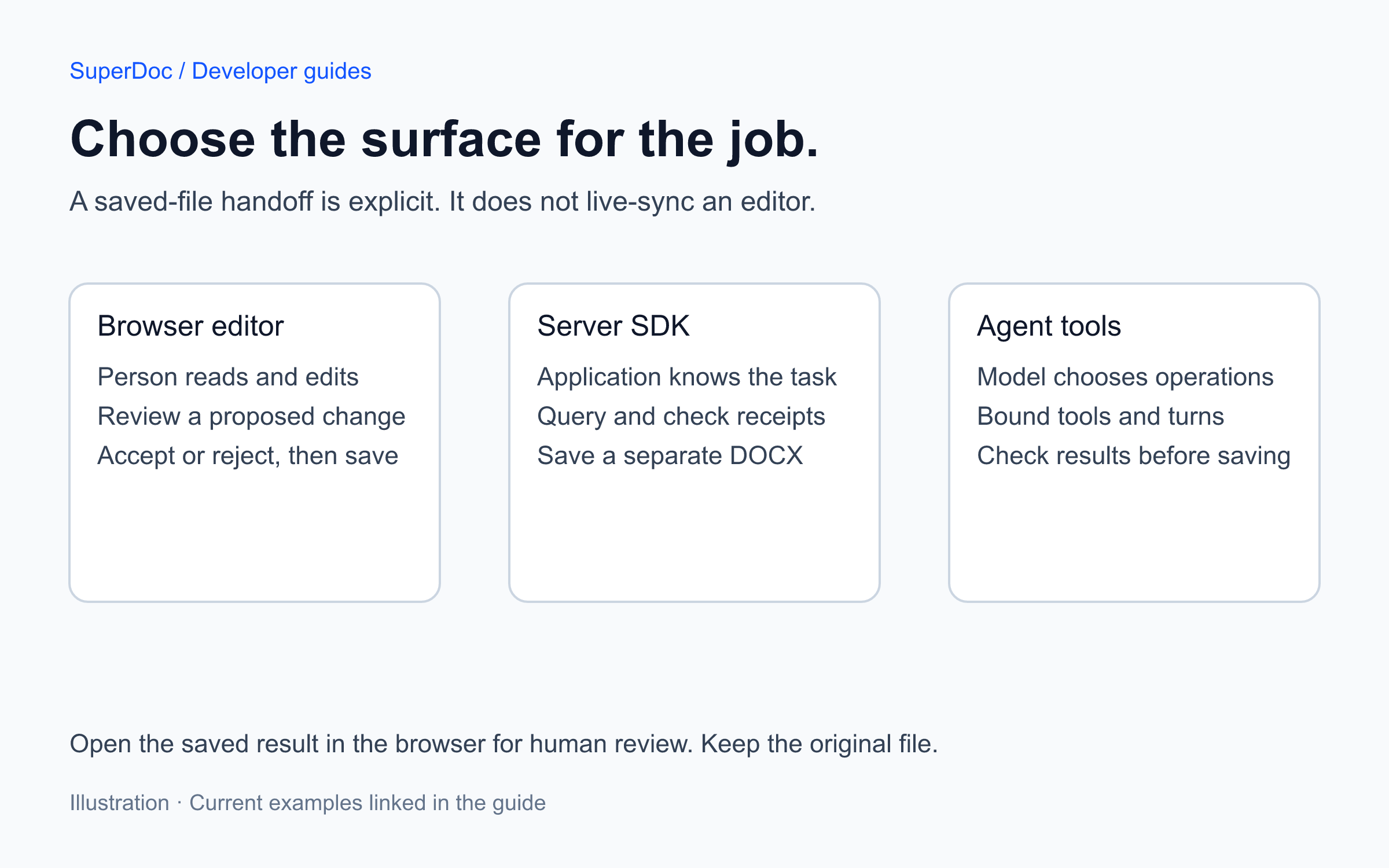
Published 2026-11-12T01:42:26.595Z. By SuperDoc.
Suppose your product lets an agent propose a change to an agreement and asks a person to review it before saving. There are three separate jobs: render the Word file for the reviewer, apply document operations, and decide which operation the agent should request.
Choose the integration surface for each job. You do not need a model to run an operation your application already knows.
Put the person’s review in the browser
Use the superdoc browser package when a person needs to read, edit, comment on or decide changes in a DOCX. Open the built-in review example to try the public agreement, then download the complete project.
The project pins the editor to 2.30.0, initializes Suggesting mode and supplies the document, toolbar, user configuration and export action. You can keep the built-in interface or use the custom review queue around the same document canvas.
Browser state stays in that browser unless your application supplies persistence or collaboration. A server script saving another file does not automatically update an open editor session.
Use the SDK for an operation your service knows
Use @superdoc/sdk when server code knows the required query or edit. The Node.js SDK embeds its runtime; it does not require a model or a separately installed CLI for this path.
The downloadable inspect-review.mjs below opens the public tracked-changes fixture, checks for a proposal, and saves a separate inspection copy without accepting or rejecting anything:
npm install @superdoc/sdk@2.27.0
node inspect-review.mjs contract.docx inspected.docx
Download the fixture and save it as contract.docx before running the command. The script refuses to overwrite an output file. Its complete lifecycle is connect, open, inspect, save, close and dispose. It reopens the saved copy and checks that the pending change count is retained.
That inspection-only default is useful when the next decision belongs to a person. If your service is authorized to make a decision itself, the current Node.js guide shows the tracked-change decision and receipt. Check the actual success result before saving. Preserve the source and the failed receipt when an operation fails.
Add an agent when the operation needs to be chosen
An agent adds a decision-maker around document tools. It still needs bounded tool execution, checked results and a persistence path your application controls.
The server agent project is a complete example: it opens the public agreement, proposes a tracked title edit, saves reviewed.docx separately and leaves the review to a person. Its downloadable project pins SDK 2.27.0 and includes the model adapter and full tool loop.
Running that agent calls your chosen model provider and can incur its charges. Keep its key on the server. The automated example checks use a deterministic adapter with the real SDK, so they do not establish the result of your selected live model.
For an existing agent client, follow the current MCP setup. For shell automation, use the current CLI guide. Those are alternate integration surfaces. Do not mix historical package names, tool names or response shapes from the original Document Engine announcement into a current project.
Make the handoff explicit
For a saved-file workflow, the server returns a separate reviewed DOCX through an endpoint your application authorizes. The browser loads that result and presents its tracked changes. A person accepts or rejects them, then your application saves the reviewed output.
For a live shared session, follow the collaboration integration separately. Room access, file storage and authorization remain application responsibilities. Do not describe the saved-file sample as live synchronization.
Before shipping, run the path your product actually needs:
-
Keep the original agreement unchanged.
-
Confirm that the proposed edit appears as a tracked change in the saved result.
-
Open that result in the browser and inspect the proposal at its actual passage.
-
Accept and reject from separate fresh copies, checking the saved outcome of each decision.
-
Open the outputs in Word and inspect the formatting and review details your customers use.
The tracked-change review guide provides the separate deterministic accept and reject checks. Successful SDK operations do not establish pixel-identical Word rendering, every DOCX feature or your application's access controls.
Source and update context
Adapted from Caio Pizzol's Document Engine announcement, March 22, 2026. Rewritten November 11, 2026 to distinguish browser review, deterministic SDK work and agent control, with pinned examples and current V2 links. The original announcement remains in the archive with its original publication date and attribution.
Runnable example files
Content ID: 7901218f57148437363d401596e34798b5be4064ff08a6afd4eb4b42fffe3e42