A Word document. With a soundtrack.
How our team turned an editable Word document into SuperDoc Jukebox, with native footnotes, tables, comments, tracked changes and portable application data.
Jukebox uses SuperDoc 2.31.0. Separate saved file checks with SDK 2.27.0 verify native comments and accepting or rejecting tracked changes.
Try the live demoPublished 2026-11-14T07:11:32.612Z. By SuperDoc.
A Word document. With a soundtrack.
At Superpalooza, our annual team gathering in San Francisco, we split into pairs with a small assignment: pick a song and build a custom SuperDoc experience around it.
Most of our team are musicians, and all of us love music. The results went in wonderfully different directions. We brought some of our favorite ideas together in SuperDoc Jukebox: a Word document that performs along with a song.
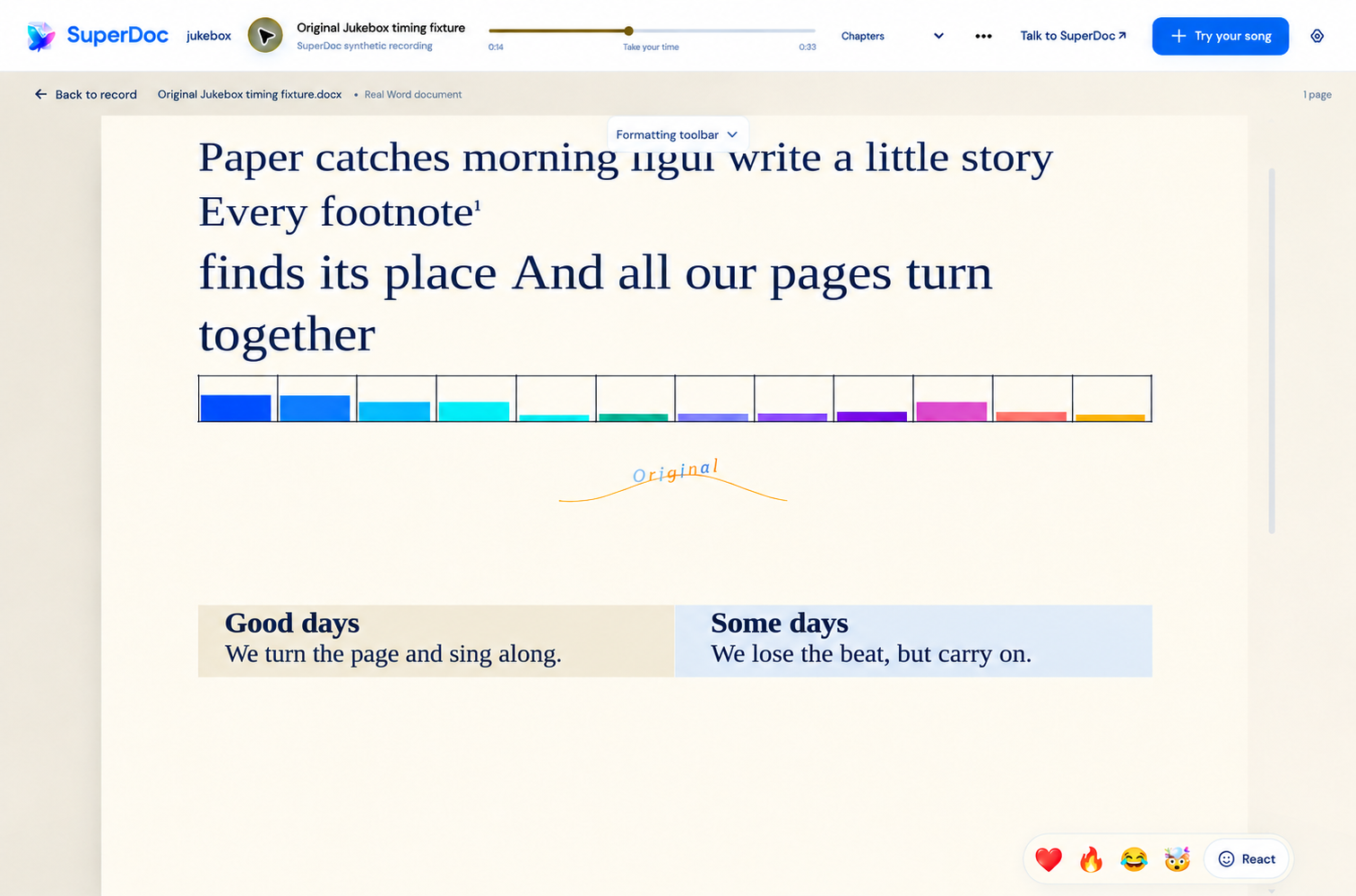
Try Jukebox → Pick a record and press Play. To make your own, search for a song or paste a YouTube link. Lyrics arrive on the page, typography changes with the performance, and an animated equalizer moves with the music.
Jukebox shows how much you can build around an editable Word document. You can build something this creative using native Word content.
Build around the work your users need to do
We made Jukebox to show what becomes possible when a Word document can use everything your application knows and does. A format people associate with static pages becomes an interactive musical experience, while remaining a real, editable Word file.
Four ways to use the document differently
AI helps research the song and plan the performance. The playback clock coordinates when things happen. SuperDoc makes those ideas work inside an editable Word document.
1. Turn a lyric into a real document element. In Elvis Costello’s “Everyday I Write the Book,” a lyric about a footnote becomes an actual Word footnote. SuperDoc creates the document structure behind the interaction. In a legal research product, that same capability could let a user add a source as a footnote directly from the passage they are reviewing.
2. Use tables and formatting as an interface. Jukebox uses a table and changes the colors of its cells to create an animated equalizer. It gives familiar document elements an unexpected purpose. An audit product could use those same table and formatting controls to show which requirements have supporting evidence and which still need attention, with the results remaining readable in the exported Word file.
3. Connect custom interactions to native review tools. Comments and tracked changes can show two singers trading verses in a disagreement: one sings “hello,” the other answers “goodbye,” with comments carrying their back-and-forth and tracked changes showing who proposed each version. Those same document operations can support your users’ work. A legal product could present one risky clause at a time, let a lawyer discuss it in a comment, and apply a proposed replacement as a real tracked change. When the agreement goes to outside counsel, those comments and undecided changes remain available in Word.
4. Save the application’s context with the file. Jukebox stores its recording reference, timing and composition information in custom XML inside the DOCX. Microsoft Word preserves that embedded data when the file is opened and saved. Bring the file back into Jukebox and it can restore the performance around the document. A compliance product could use application data in DOCX to retain finding identifiers or review configuration, helping reconnect an imported file to the workflow it came from.
The soundtrack is not embedded, and Word does not play the animations. The document carries the content and saved application data; Jukebox supplies the experience. File-based sessions require the original recording to be selected again.
SuperDoc’s custom UI APIs and Document API let builders connect those workflows to the document itself. Your application controls how users navigate, what they see and which actions are available. SuperDoc handles the underlying document operations.
Keeping native Word content gives builders room for custom workflows: a review organized around your legal playbook, an evidence workflow connected to your compliance systems, or a document that performs along with a song.
Users can still deliver a Word file. They also have more reasons to keep working in your application, because it helps them do things they cannot do in Word.
Try Jukebox → Pick a record and press Play. To explore how it works, open Build this inside Jukebox. If it sparks an idea for your product, talk to us.
Content ID: e7634532ac7d0f42fca767d0d620ae0b6c0e246e00fac94d29b12890c3316777